about us

go to store

contact us

about barcodes

useful links

how to buy
cillogostrip

Go to homeMBC4 for MacWBC4 for WindowsBuy Barcodes OnlinePharmacoderFontsScanners & VerifiersGo to Downloads

About MBC4 Click for MBC4 Features Page Click for tour of MBC4 Click for list of barcode types Click for MBC4 Downloads page Click for troubleshooting page Click for Upgrades page
previous page next page

The Preferences Window

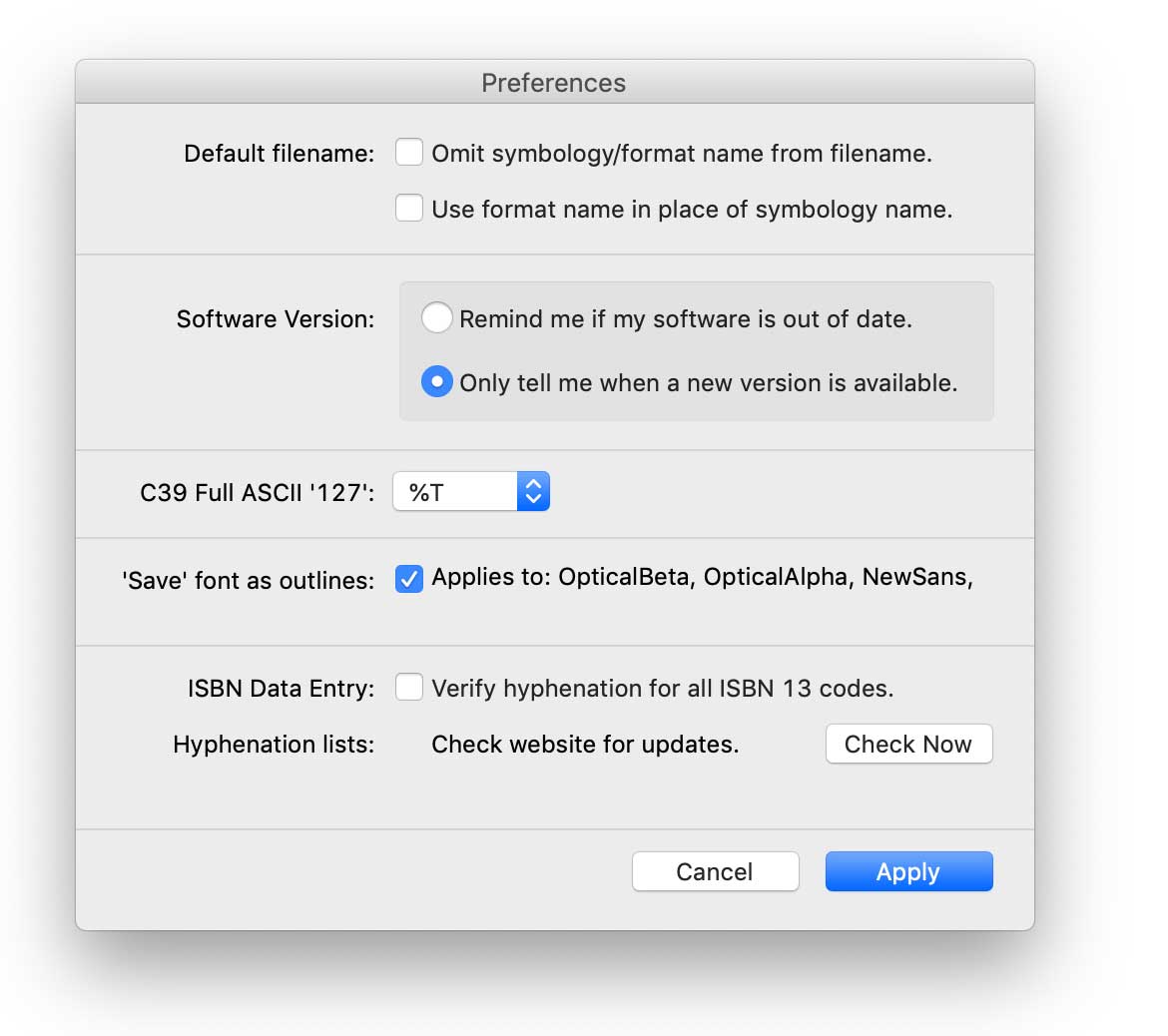
MBC4 Preferences Pane

The Preferences Window is accessible from the File... menu. It contains a number of controls for modifying the behaviour of MBC4.

The default file naming structure for MBC4 is:
Symbology Name,Barcode Data
e.g. Code39,ABC123

This can lead to some very long names which can cause problems for some systems. The Omit symbology name from filename control can be used to shorten the name by just using the data.

Use format name in place of symbology name gives a more descriptive filename,
e.g. "AIAG - Type A1,09648229"
instead of "Code39,09648229"
The Software Version controls are used to check the Computalabel International website for information on the latest updates. MBC4 will compare it's own version number with the information on the site and let you know if an update is available.

C39 Full ASCII '127' defines the character pair that MBC4 will use to represent character 127 when using the Code 39 Full ASCII barcode type.

Save font as outlines removes the need for a font to be included with the barcode file. All of the text is converted to PostScript paths giving you a totally self-contained barcode file.

ISBN Data Entry: MBC4 keeps lists of all of the permitted ISBN-13 numbers. It can use these lists to check the validity of your data-entry. There is also a button which will check the Computalabel International website for updates to the lists.